NATIVE DESKTOP · macOS / WINDOWS / LINUX · ISC
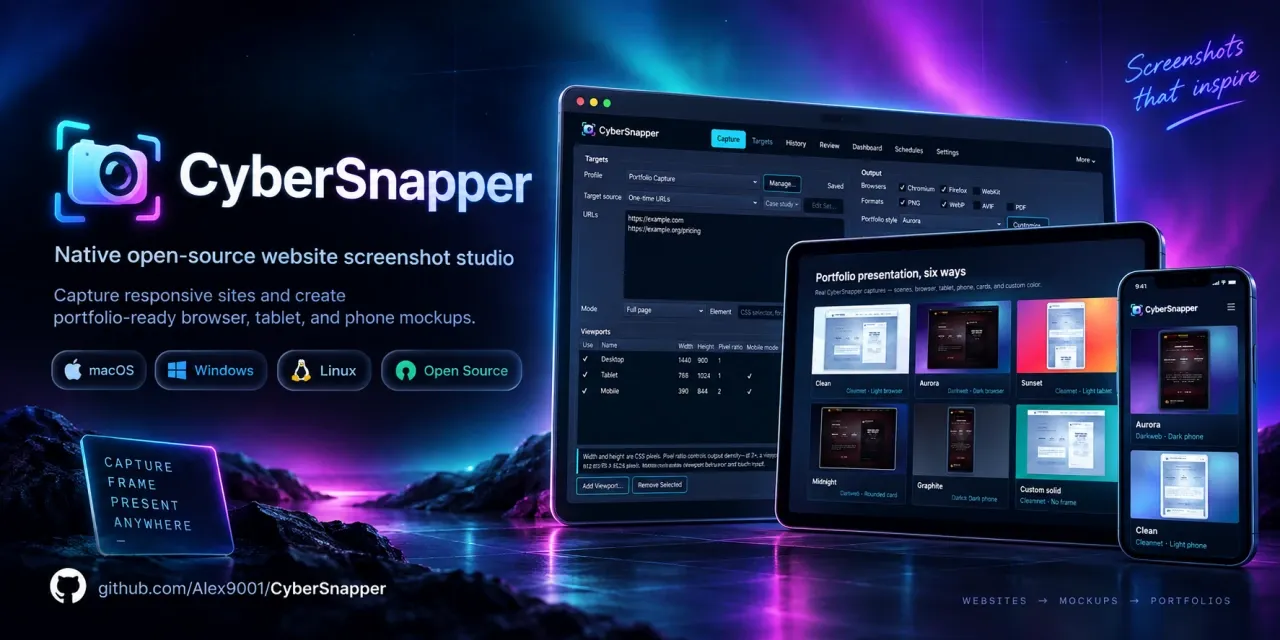
CyberSnapper is a desktop tool for website screenshots, device mockups, capture sets, and repeatable visual production workflows.
Capture your work. Build your portfolio.
Alex Oreshkin created CyberSnapper to produce the screenshots behind THE FORGE. It is now a native desktop application for designers and developers: capture one page or an entire portfolio, then turn those captures into consistent presentation images.
The Qt interface runs locally on macOS, Windows, and Linux. No account, uploads, or template service is required. Your images stay in ordinary folders you control.
From a URL to a finished image
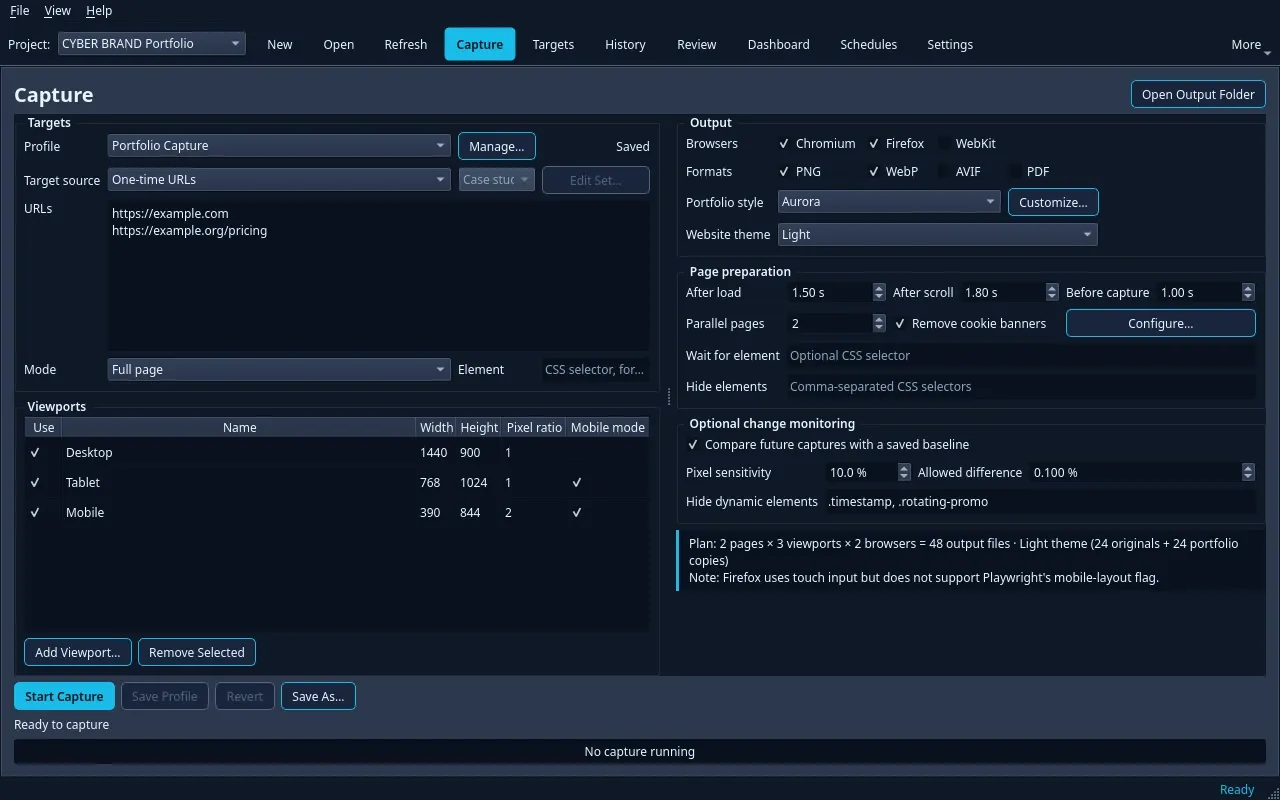
- Capture exactly what you need: a full scrolling page, an exact viewport, or one CSS-selected element. Combine desktop, tablet, mobile, and custom sizes with explicit pixel density and mobile-browser settings.
- Prepare the page: wait for content to settle, remove cookie banners, hide selected elements, and choose light, dark, or both website themes. Identical dark outputs are omitted when both themes produce the same result.
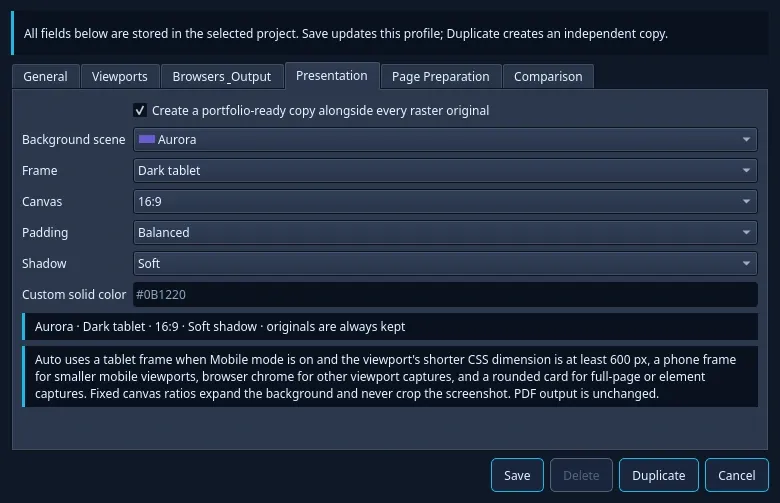
- Present the work: save an untouched original plus a separate
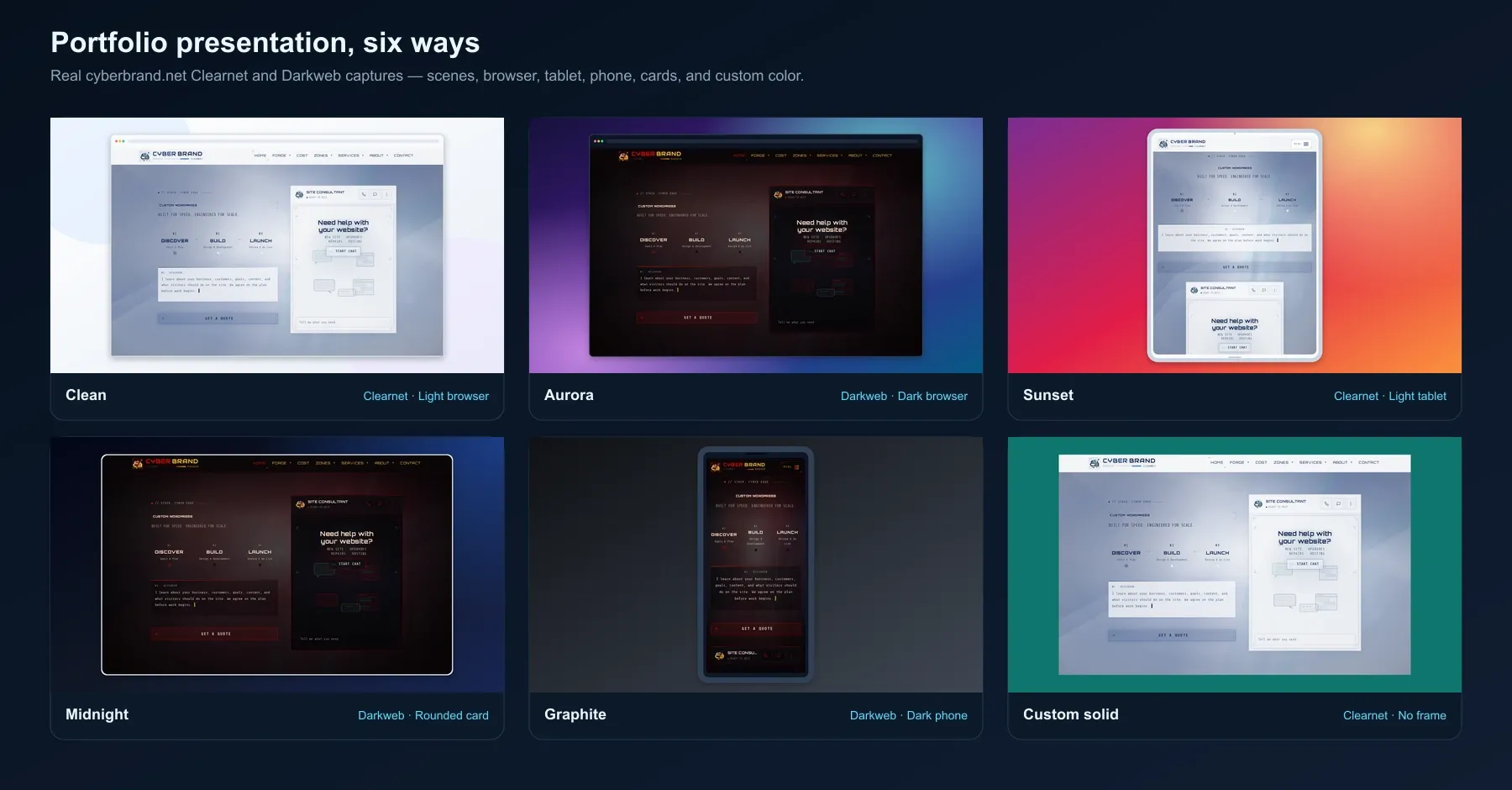
-portfoliocopy. Choose Clean, Aurora, Sunset, Midnight, Graphite, or a custom solid background; add browser, tablet, phone, or rounded-card frames. - Choose the canvas: fit the content or use 16:9, 4:3, or square with adjustable padding and shadows. Fixed ratios expand the background without cropping or upscaling the screenshot.
- Export useful files: PNG, WebP, AVIF, and Chromium PDF, with collision-safe filenames. Chromium ships with the app; install Firefox or WebKit from Settings when you need them.
Capture a whole portfolio
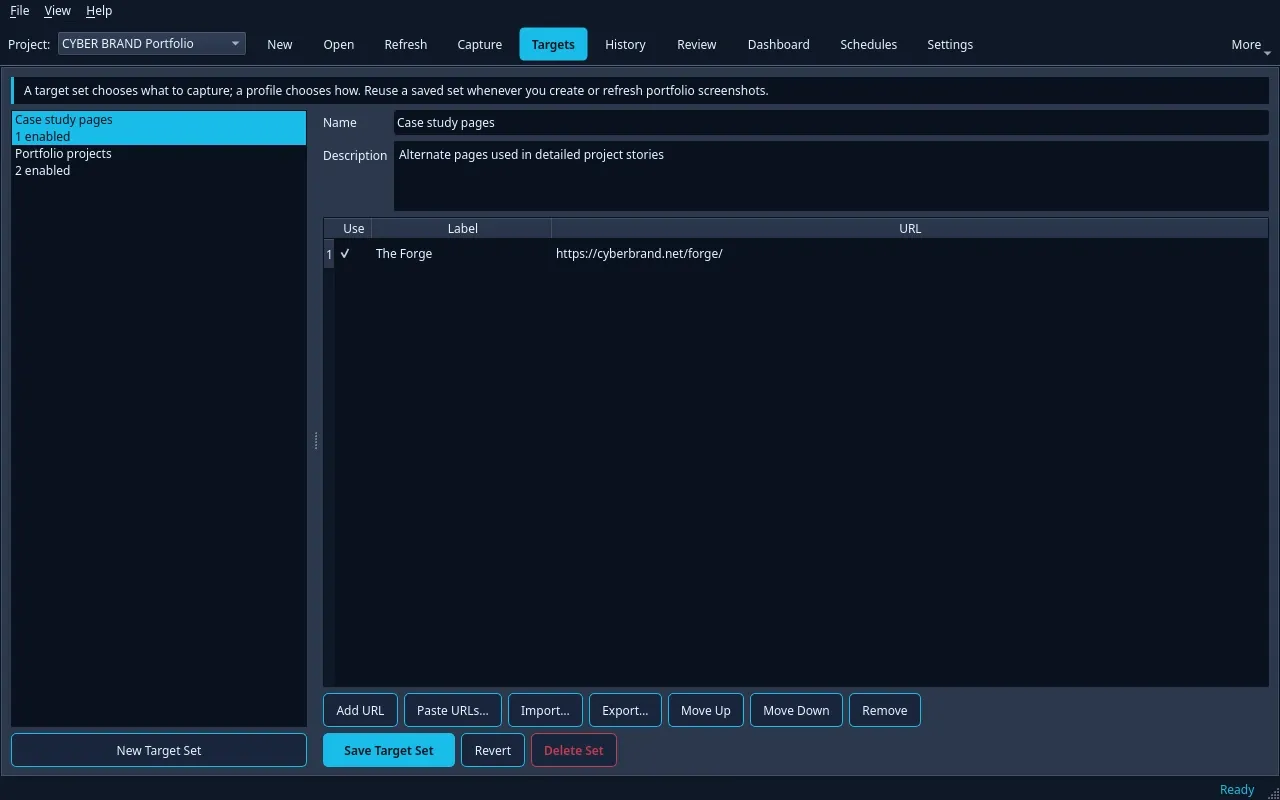
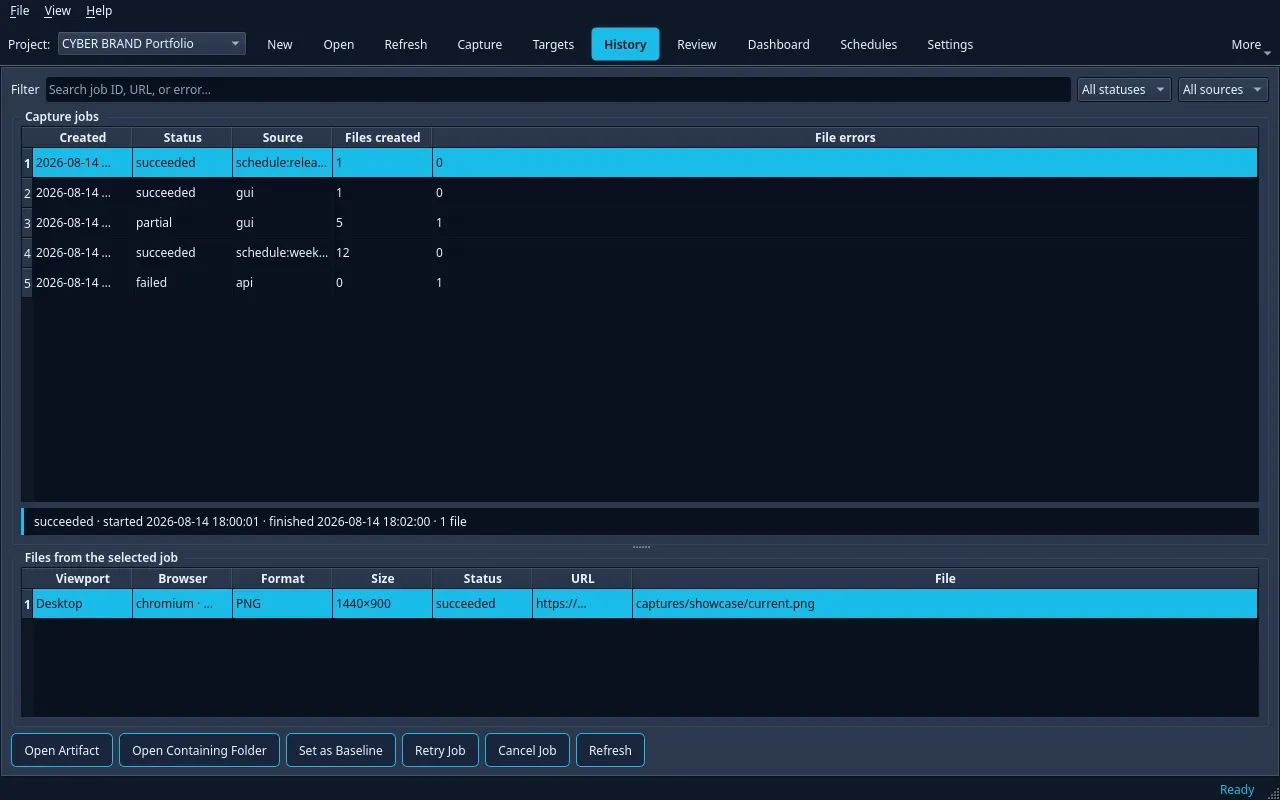
Save labeled target sets, import or export TXT/CSV lists, enable individual pages, and reuse capture profiles. History keeps completed runs and their output files searchable. Portable projects keep settings, capture history, and comparisons together.
Optional tools for repeat work
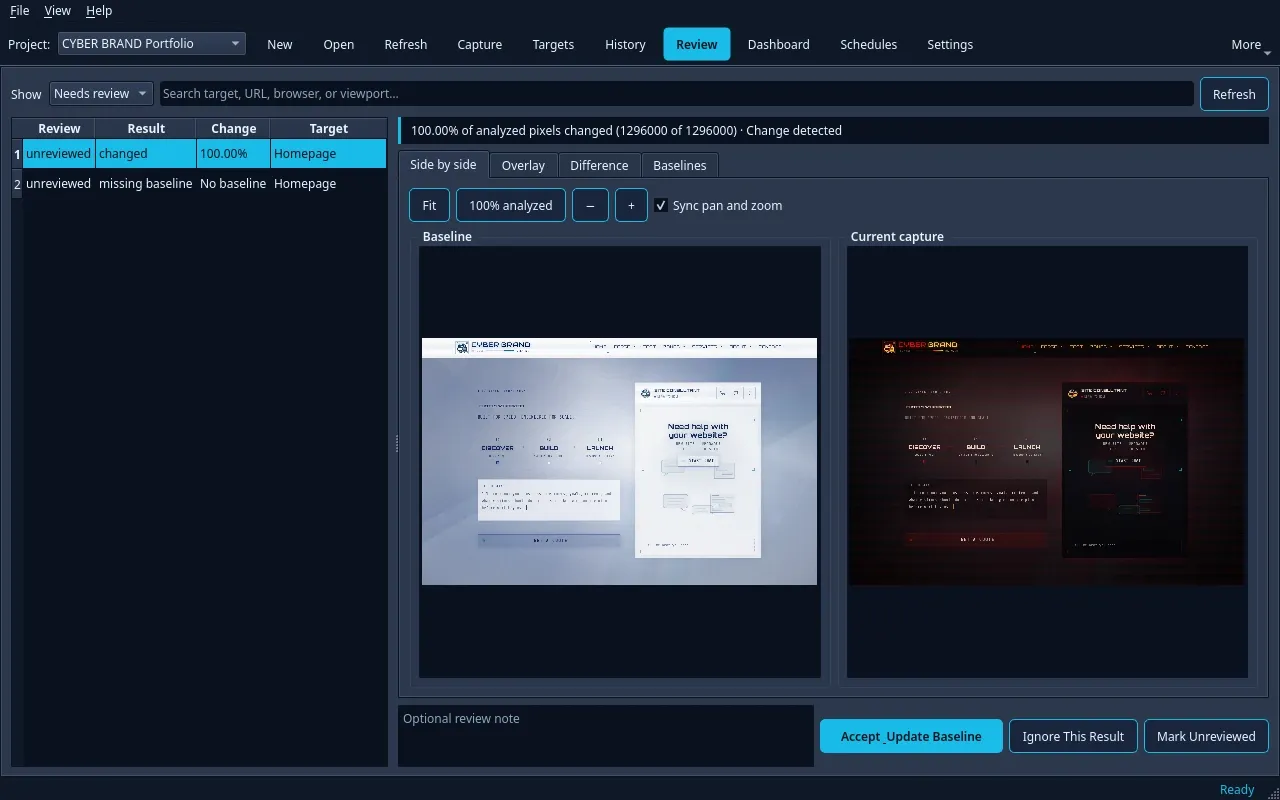
Review changes with synchronized pan and zoom, overlay, wipe, and generated differences. Baselines, recurring schedules, retries, and a durable job queue support ongoing capture work without getting in the way of a one-off screenshot.
The native CLI and optional authenticated localhost REST API use the same project and job system. The API is disabled by default. See the CLI examples and REST API documentation for automation.
Get started
- Download the package for your operating system from GitHub Releases.
- Open CyberSnapper, create a project, and paste your URLs or select a saved target set.
- Choose viewports, formats, page preparation, and an optional portfolio style, then start the capture.
- Open the output folder or return to History to find your files.
Packages include the app, Qt and Node runtimes, the capture worker, and Chromium. You do not need to install Node.js separately. Source builds use C++20, Qt 6.8+, CMake, and Node.js 20+; follow the build guide.
Open source
ISC licensed. Free to use, modify, and integrate into your own workflow. Browse the source.
Scenes, settings, and the workspace
Actual application views and portfolio output from the CyberSnapper repository. Open an image to inspect it.