

NATIVE DESKTOP · LINUX / WINDOWS / macOS · C++20 + Qt
Native Markdown workspace task manager
A clear place for your tasks. An ordinary folder for your work. TodoBench keeps projects, subtasks, notes, and attachments together in a native desktop app, with files you can read, edit, and take with you.
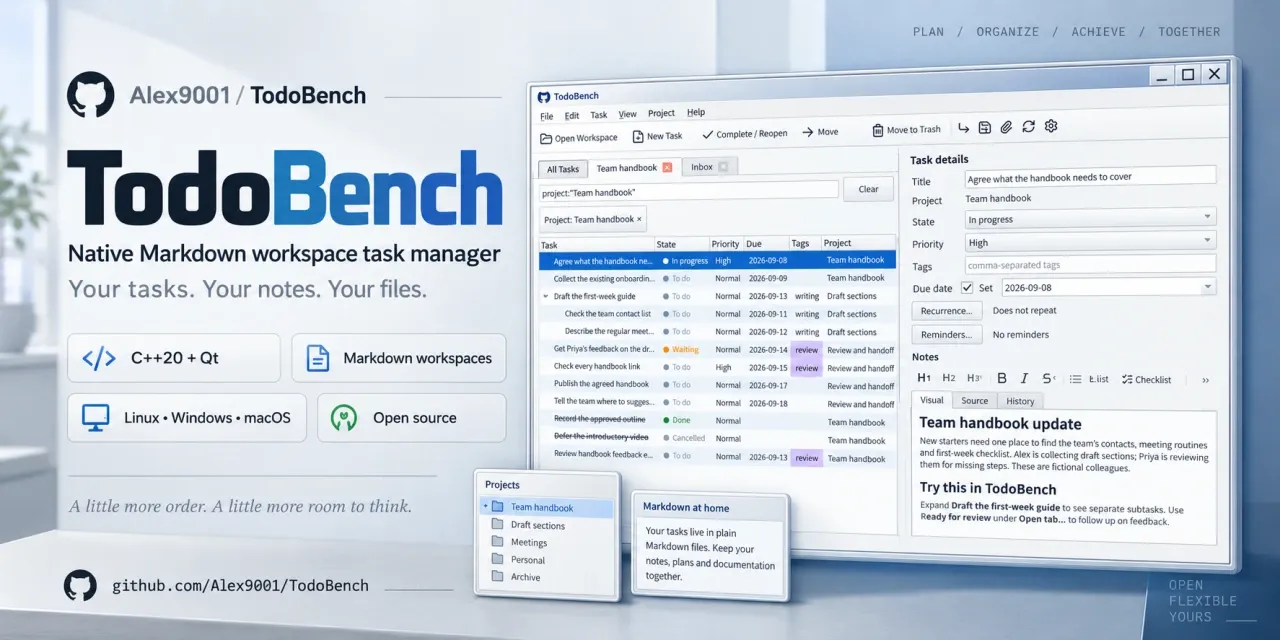
Keep the task and its context together
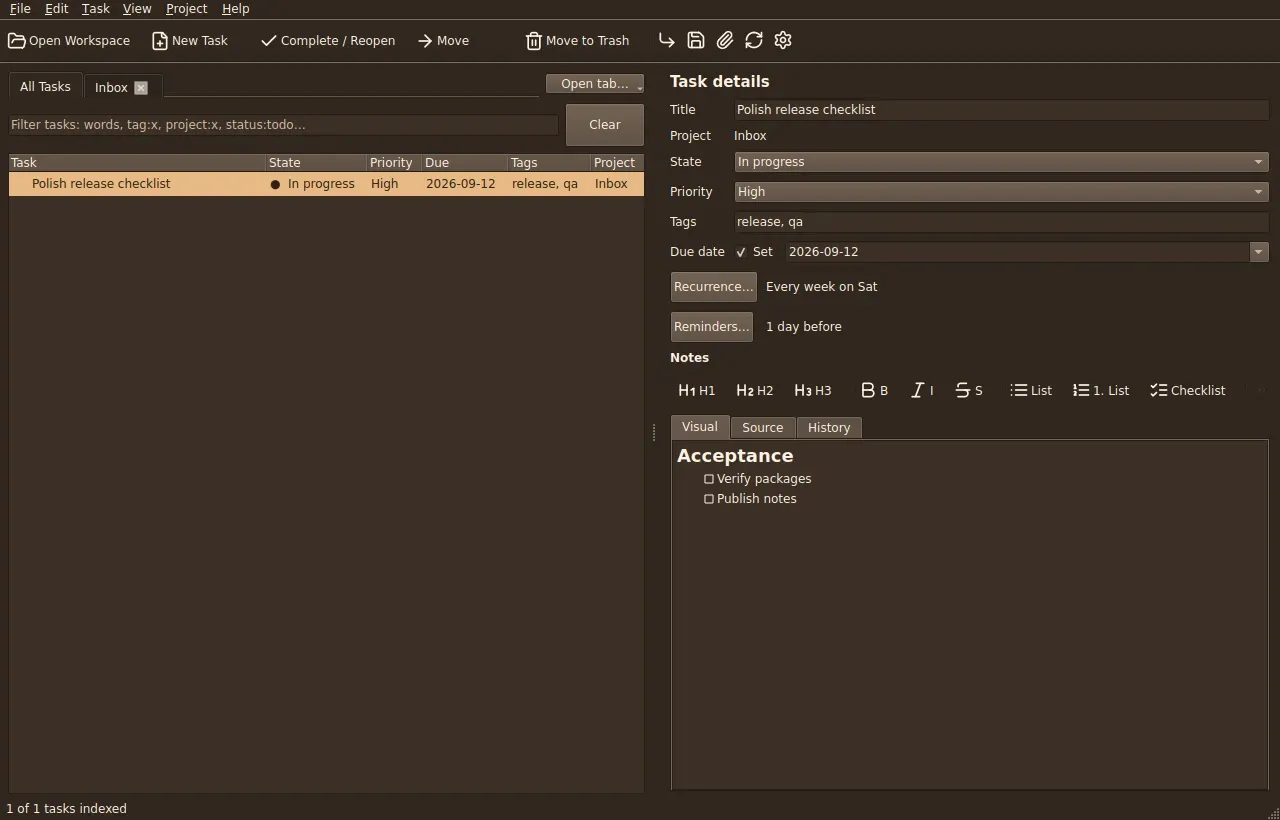
Project tabs and a hierarchical task list sit beside the selected task’s details. Plan everyday jobs or follow a project through drafting, review, and handoff without separating the work from its notes.
- Organize the next step. Nested projects and subtasks, five task states, priorities, tags, and due dates.
- Write where you work. Markdown notes with Visual, Source, and History views, plus checklists, links, and attachments.
- Find your focus. Project tabs, saved views, and filters combining text, tags, project names, and states.
- Remember recurring work. Date-only scheduling, calendar-based or after-completion recurrence, and reminders.
- Make it comfortable. Eleven appearance choices, custom colors, and Browser or Total Commander keyboard presets.
Inside the desktop app
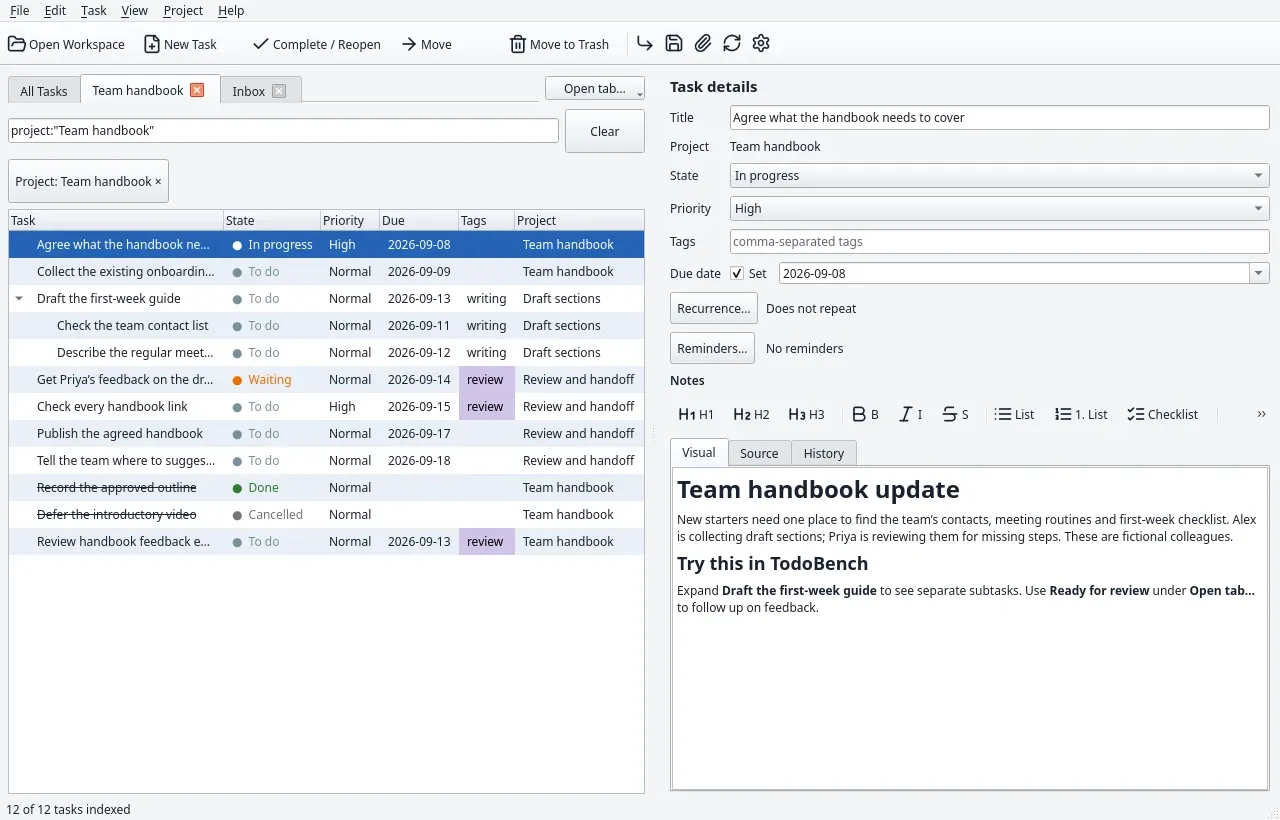
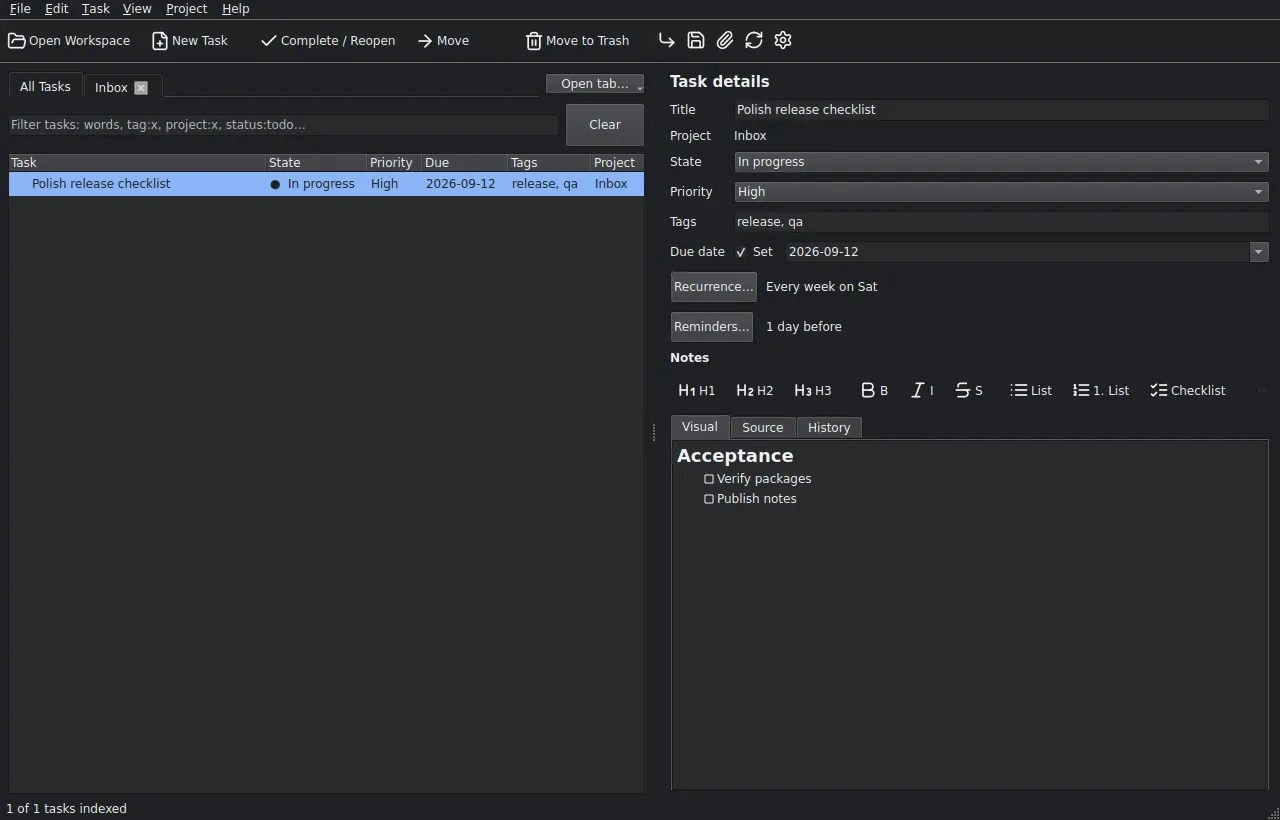
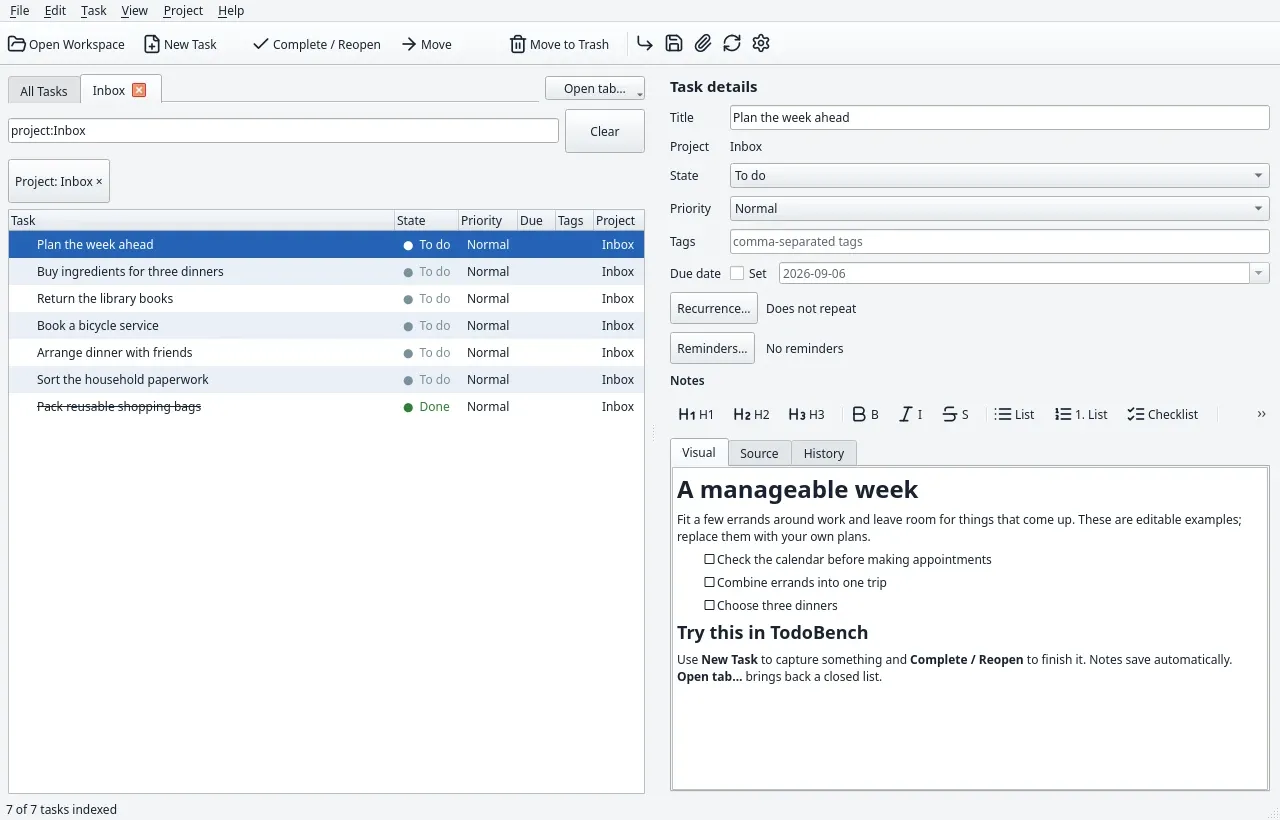
Actual application screenshots from TodoBench’s included samples. Open an image to inspect the interface; sample people and projects are fictional.
Your workspace stays yours
TodoBench works locally without a hosted account. Tasks and projects are Markdown files with YAML metadata, settings are JSON, and relative attachment links keep the folder portable. You can use other editors alongside the app.
Clean external edits reload automatically. Competing edits are retained for recovery, while history and trash help protect your work. Complete .7z snapshots include attachments, history, trash, and recovery files. Automatic synchronization and merging are outside this release.
Read the workspace format specification for the file layout and rules for other tools working with your data.
Start with a folder
- Download your platform’s package. Linux AppImage or tar.gz, Windows installer or ZIP, and macOS DMG or application ZIP for Apple Silicon or Intel. Qt runtime libraries are included.
- Open TodoBench. Use the first-launch guide to create a workspace or open an existing one.
- Choose a starting point. Begin with an empty Inbox or try an everyday, moving-home, team, website, or guided-tour sample. Choose an empty folder, theme, and keyboard preset.
- Make it yours. Add tasks and subtasks, write notes, and open project or saved-view tabs. Your last workspace, tabs, and filters reopen on launch.
Platform requirements and installation steps · Getting-started guide
Free software, open format
TodoBench is built by Alex Oreshkin with C++20 and Qt. The free, open-source application uses GPL-3.0-or-later, with corresponding source and build instructions alongside its releases.